
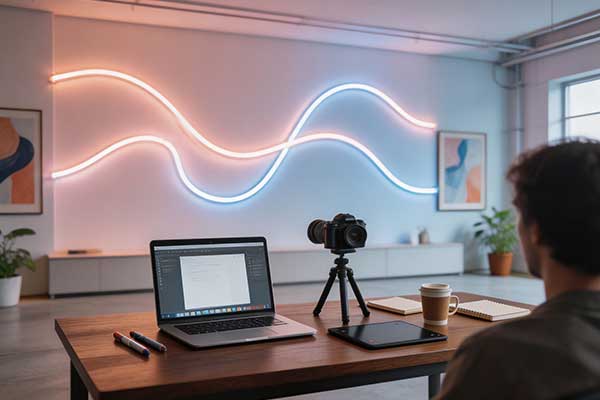
Every content creator knows the frustration. You spend hours setting up the perfect shot. Your backdrop is dialed in. You hit record, step in front of the camera, and then you see it: a subtle pulsing band rolling across your LED neon sign. Some frames look fine. Others are dark. The sign appears to flicker in a way your eyes never noticed but your camera catches without mercy.
This is PWM flicker. And it is the single most common reason cheap LED signage ruins video footage.
If you are a YouTuber, Twitch streamer, TikTok creator, or podcaster building a set around LED neon, you need to understand why flicker happens, how your camera shutter speed interacts with it, and what to look for when buying camera-safe neon signs.
Related products: GG – Competitive Gaming Backdrop, New Video – YouTube Upload Neon, In the Works – YouTube Project Neon, Golden Hour – Golden Hour Photography Prop.
Related products: Radiant Life Neon Sign – Uplifting, Follow Your Light – Neon Sign for Photography & Vlog Lovers.
The Problem: Why Cheap LED Signs Flicker on Camera
LED neon signs look smooth and continuous to the human eye. But under a camera lens, especially at certain shutter speeds, many reveal a pulsating artifact. The root cause is Pulse Width Modulation, or PWM, a technique used to dim LEDs.
Most inexpensive LED signs use low-frequency PWM, typically in the range of 50Hz to 120Hz. The LED rapidly turns on and off many times per second. Your eyes, with persistence of vision, blend these flashes into a smooth glow. But a camera sensor is far less forgiving. At these low frequencies, the on-off cycling falls squarely within the range that digital camera sensors can resolve. When your shutter speed misaligns with the PWM cycle, you get visible flicker appearing as rolling bands, strobing effects, or uneven frame-to-frame brightness.
In the worst cases, the sign appears completely dark in some frames and bright in others, creating a pulsing effect nearly impossible to fix in post-production.
The Technical Details: Shutter Speed vs. PWM Frequency
To understand why flicker happens, you need to grasp two numbers: your camera shutter speed and the PWM frequency of the sign.
How Camera Shutter Speed Creates Flicker
When recording video, your camera captures frames in rapid succession. Common shutter speeds include 1/50 second (standard for 25fps in PAL regions), 1/60 second (standard for 30fps in NTSC regions), and 1/120 second (often used for 60fps capture). The shutter speed determines how long the sensor gathers light for each frame. If the PWM cycle rate and shutter speed are out of sync, the sensor captures the LED in different states of its on-off cycle across different frames.
The Rolling Shutter Effect
Most modern cameras use a rolling shutter, reading out the image line by line from top to bottom. This takes a few milliseconds. If the PWM cycle changes while the sensor is still reading out, different lines of the same frame capture different brightness levels. The result is a horizontal band that appears to roll through the frame.
At 50Hz PWM, common in budget signs, flicker interacts destructively with 1/60 shutter speeds. At 60Hz PWM, the opposite occurs with 1/50 shutter speeds. Even at 120Hz PWM, issues persist at certain shutter speeds because the camera may sample partial PWM cycles.
Why High-Frequency PWM Solves It
The solution is pushing PWM frequency high enough that the camera sensor cannot resolve individual cycles. Above 1000Hz, the exposure window spans dozens of full on-off cycles. The integration averages out completely, and the sign appears steady in every frame regardless of shutter speed.
At 2000Hz PWM, a 1/60 second exposure covers roughly 33 full cycles. The sensor cannot distinguish individual pulses; it only sees aggregate brightness. This is the key spec for camera-ready neon: PWM frequency above 1000Hz, ideally above 2000Hz.
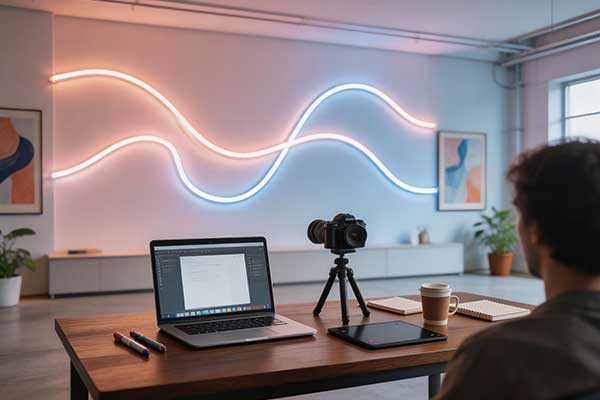
Y SIGNS: Professional Flicker-Free Neon at 2000Hz+
Y SIGNS builds every sign with flicker-free driver electronics operating at a PWM frequency exceeding 2000Hz. Our engineering team optimized the LED driver circuits to eliminate camera flicker across all common shutter speeds and frame rates.
What does 2000Hz PWM mean for your content? Zero flicker at 1/50. Zero at 1/60. Zero at 1/120, 1/240, or any other speed. Whether you shoot at 24fps, 30fps, 60fps, or high-speed 120fps slow-motion, a Y SIGNS neon sign stays rock steady on camera. No rolling bands, no strobing, no frame-to-frame variation.
This matters because flicker wastes production time, forces reshoots, and limits editing flexibility. For creators recording long-form content, a flickering sign can derail an entire session. With Y SIGNS flicker-free drivers, you set up and record with confidence.
Market Data: The Content Creator Neon Sign Segment
According to Y SIGNS internal market research, content creators now represent approximately 20 percent of the total LED neon sign market. This is a substantial and growing segment driven by the visual demands of the creator economy.
The core buyer group falls in the 18 to 35 age range, encompassing Gen Z and younger Millennials who have built careers on YouTube, Twitch, TikTok, and Instagram. These creators understand that visual branding is not optional. A well-lit, aesthetically consistent set communicates professionalism.
The typical budget falls between $50 and $300. At the lower end, creators buy small accent signs. At the higher end, they invest in custom logo signs as the visual anchor of their set. In both cases, the non-negotiable requirement is camera-safe operation. A $50 sign that flickers is worthless for video. A $150 sign that passes every camera test is a long-term asset.
Color Temperature: Choosing the Right Light
LED neon signs are available in a range of color temperatures. Choosing the right one for your content type can dramatically improve video quality.
2700K Warm White: Cozy Vlogs and Lifestyle Content
A warm white neon sign at 2700K produces a soft, amber-toned glow reminiscent of incandescent lighting. Ideal for lifestyle vloggers, ASMR creators, and anyone building a cozy, inviting set, this warm light creates a sense of intimacy that resonates with audiences seeking personal, relatable content. It works exceptionally well against dark backgrounds, adding a subtle golden halo that flatters skin tones and creates depth.
4000K Neutral White: YouTube Talking Heads
Neutral white at 4000K sits in the sweet spot between warm and cool. It is bright enough for talking head videos, tutorials, and educational content, but warm enough to avoid a sterile look. It pairs well with softbox key lights and ring lights because its color temperature is close to the 4300K-5000K range common in video lighting, meaning no color cast needs correction in post-production.
RGB Multi-Color: Twitch Gaming Backgrounds
Full-color RGB neon signs give Twitch streamers maximum flexibility. Purple and pink combinations are popular among variety streamers. Cyan and blue work well for tech streams. Red or orange create high-energy backgrounds for competitive gaming. An RGB sign lets you change the mood without changing hardware. Y SIGNS RGB models use wide-spectrum LEDs and precision drivers for clean, consistent color output on camera.
Placement Tips for Maximum Impact
Even the best flicker-free neon sign will not improve your video if poorly positioned.
Behind the Subject: 2 to 3 Feet of Separation
The most effective placement is behind the subject as a background accent, two to three feet away. At this distance, the sign creates a visible glow around the subject but allows the camera to focus cleanly on the person in the foreground. Too close becomes a distracting bright spot. Too far loses visual impact.
Avoid Direct Lens Reflection
Glossy walls, glass frames, and monitor bezels can create unwanted reflections. Check what the camera actually sees. A sign reflected in a picture frame creates double images difficult to edit out. Angle the sign slightly downward to avoid bounce. Matte wall finishes also reduce reflections.
Edge Lighting for Silhouettes
Position the sign off-center at a 45-degree angle just outside the frame to create rim lighting that outlines the subject. This technique separates the subject from the background, adds depth, and gives the frame a cinematic quality. Many podcasters use this approach with a single warm-toned sign as their only background light source.
Height and Sight Line
Mount the sign so the bottom edge is at or slightly above the subject’s eye level. This ensures the sign appears naturally in the frame without being cut off or obscured. A sign mounted too low creates unflattering upward glow. Too high and it disappears from medium and close-up shots.
Further Reading
For more on integrating neon signs into your content creation setup:
Video Lighting Guide – A comprehensive walkthrough of incorporating LED neon into your video lighting plan.
Creator Brand Guide – How custom neon logo signs help content creators build recognizable brand identity.
TikTok Room Ideas – Design inspiration for camera-ready TikTok recording spaces.
Podcast Nook Neon – Neon signs designed for podcast recording setups, tested for zero-flicker production.
Influencer Soft Neon – Soft-glow neon signs for beauty, fashion, and lifestyle content with flicker-free drivers.
Common Questions About Flicker-Free Neon for Video
Can I fix PWM flicker in post-production?
Not really. You can reduce the visibility of mild flicker with tools like the Flicker Free plugin in Adobe Premiere or DaVinci Resolve, but these work by analyzing the flicker pattern and trying to smooth it out. This approach has serious limitations. It only works for consistent, predictable flicker patterns. It cannot fix severe rolling bands. It adds significant render time. And it often introduces artifacts of its own. The only reliable solution is to use a flicker-free sign from the start.
Does PWM frequency affect brightness or power consumption?
Higher PWM frequencies do not reduce brightness or increase power consumption when properly engineered. The LED receives the same total current; it simply cycles at a faster rate. The perception of brightness depends on the duty cycle the percentage of time the LED is on versus off not the frequency itself. Y SIGNS signs achieve the same brightness and efficiency as conventional designs while eliminating camera flicker.
What about smartphone cameras?
Smartphone cameras are actually more susceptible to LED flicker than DSLRs because they use electronic rolling shutters with very fast readout speeds. If you record content with your phone for Instagram Reels, TikTok, or YouTube Shorts, a low-frequency PWM sign will likely flicker more noticeably than on a traditional camera. The 2000Hz+ PWM standard is especially important for mobile-first content creators.
PWM flicker is the invisible enemy of professional-looking video. It ruins good shots, forces wasteful reshoots, and undermines the polished aesthetic that separates successful creators from amateurs. But it is entirely preventable.
The fix is simple: choose neon signs with high-frequency PWM drivers operating at 2000Hz or above. This one specification eliminates flicker across all common shutter speeds and frame rates, giving you the freedom to film without worrying about what your sign is doing while you are talking.
Y SIGNS builds every sign with this requirement in mind. Our 2000Hz+ flicker-free drivers are standard equipment. Whether you are filming a cozy vlog under 2700K warm light, recording a tutorial under 4000K neutral white, or streaming with RGB accents, Y SIGNS neon stays steady on camera frame after frame.
A flicker-free neon sign is not a luxury. It is a production necessity. Choose wisely, place carefully, and never let a cheap driver ruin another shot.